

Price: $42.97
(as of Dec 17, 2025 23:02:06 UTC – Details)
Product description
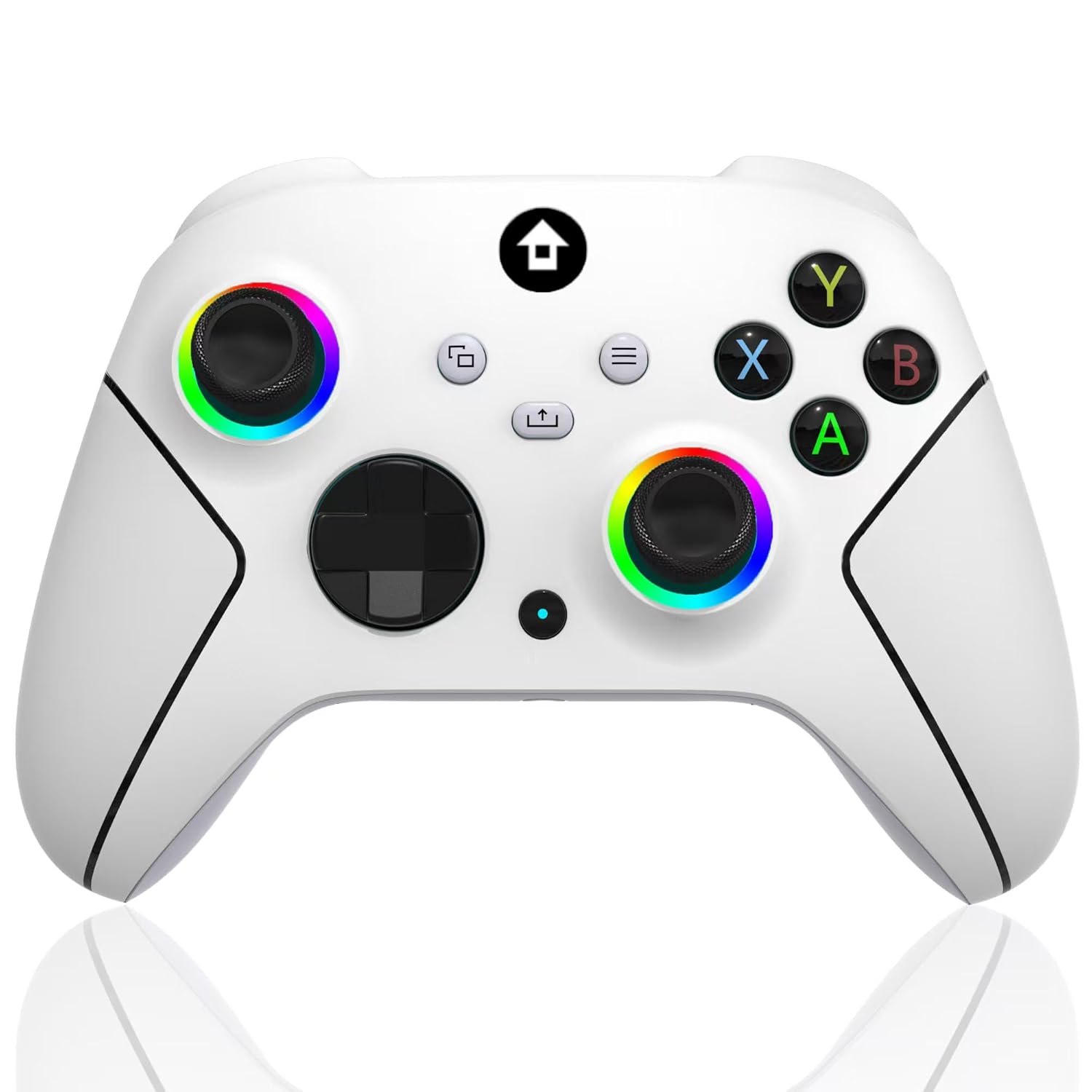
2.4GHZ Wireless Xbox controller with 7 Colors RGB light
The video showcases the product in use.The video guides you through product setup.The video compares multiple products.The video shows the product being unpacked. 2.4GHZ Wireless Xbox controller with 7 Colors RGB Merchant Video
For Xbox, Xbox One, Series X|S, Consoles, Steam, PC Windows 10 and above 
Wired and Wireless Connections ,Dual Vibration 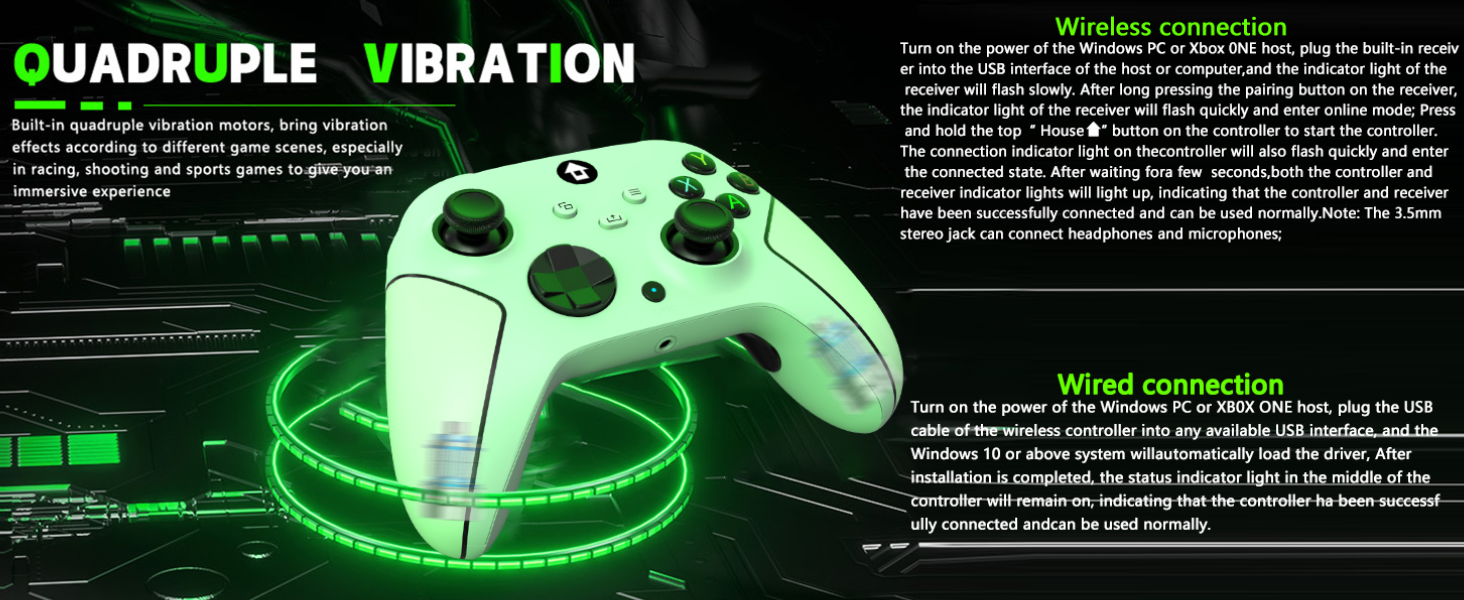
TURBO and AUTO TURBO Function 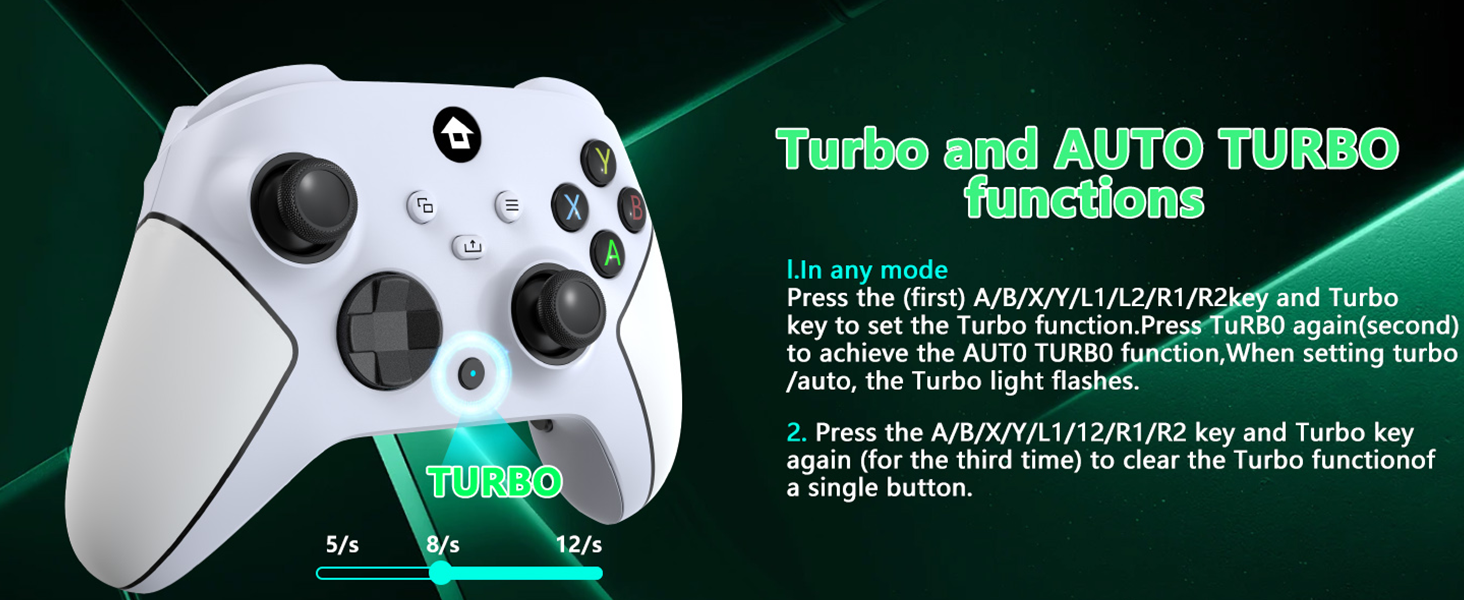
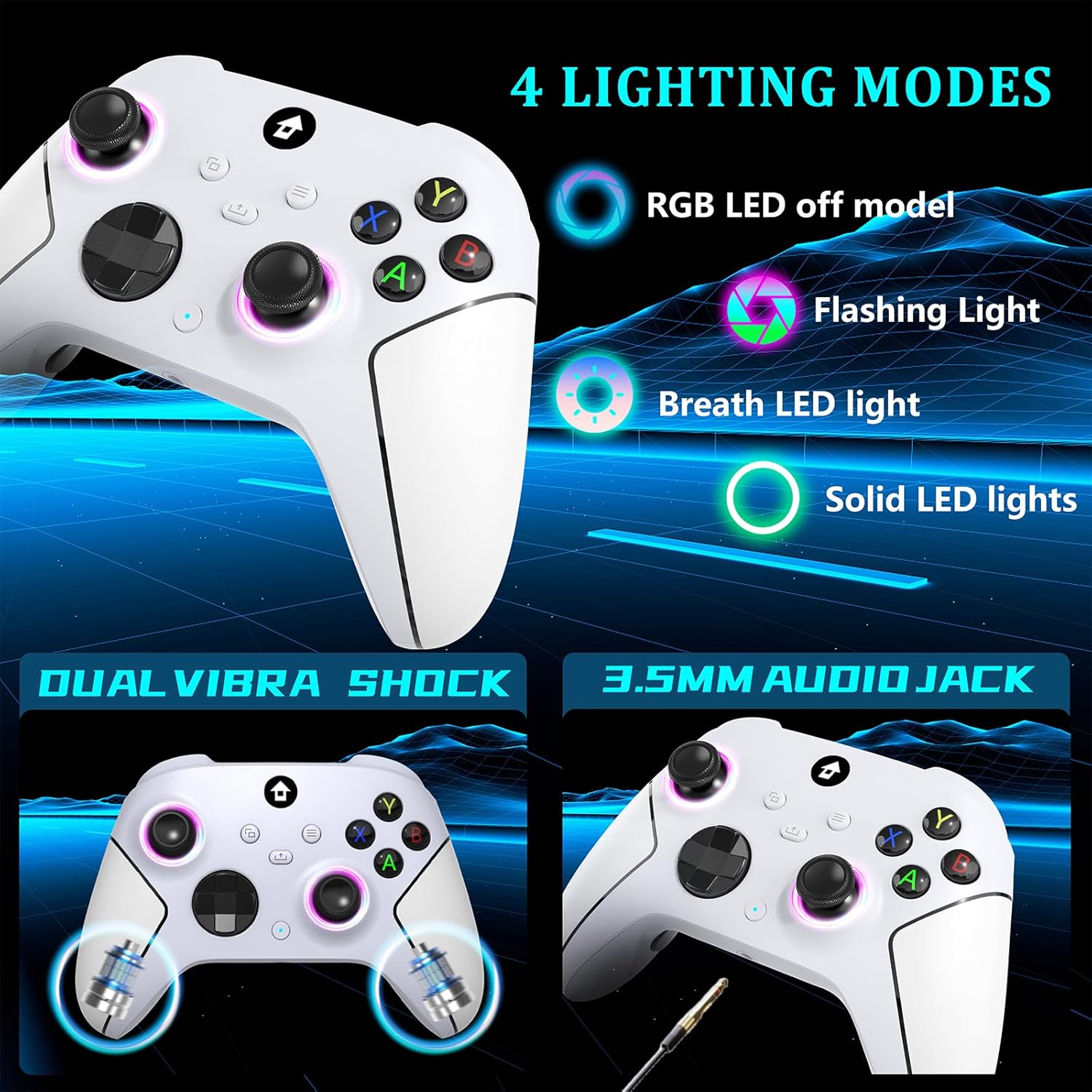
4 RGB Lighting Modes, 2 Programmable Keys 
3.5mm Stereo Jack , Type-C Charging Cable 
1.What I Get?
1. 2.4GHz Xbox controller * 1
2. 2.4GHz wireless adapter * 1
3. USB-C cable * 1
4. 2.4GHz Xbox controller User manual * 1
2.Why does the joystick drift?
Answer: The joystick cannot be moved before turning on, which will affect the positioning of the center point. Simply turn off the controller and reconnect it.
3.Why is the charging handle damaged?
Fast charging cannot be used, it can be rated for 5v1a charging. You directly connect data cable to USB interface of computer for charging. Excessive voltage during fast charging can cause chip damage, so it should be avoided to use fast charging.
4.Why is the handle disconnected?
In the case of significant signal interference in the surrounding area, turn off the device, disconnect it, re plug and unplug the receiver, and connect it.
5.What are the xbox controller manual key programming (Mapping) mode operation steps?
1. Press and hold the programming mode button for 2 seconds, Xbox button will light up and flash slowly
2.Press the following buttons that you want to program(map):A/B/X/Y/LB/RB/RT/LT/L3/R3/D-PAD, with the Xbox key emitting a fast flashing logo
(Wide Compatibility Platform&4 RGB Lighting Modes) – Our wireless xbox one controller with 2.4GHZ wireless adapter for Xbox One/Xbox One S/Xbox One X/Xbox Series X/Xbox Series S Consoles,Steam PC Windows 10 and above.plug and play, without the need to install additional drivers. (Dual use of wired and wireless). Lighting Modes;Monochrome light constant on mode:Light setting key+A key.Light setting key+B key,breathing mode.Circle running marquee changing mode:Press the+Y key to set the lighting.
(3.5mm Stereo Jack&Type-C Charging) – Wireless xbox series s controller has a 3.5mm stereo jack that can connect headphones and microphones,allowing users to receive and transmit audio simultaneously.Insert a USB cable into the computer or host USB port, and the indicator light of the controller starts to flash slowly, indicating that the controller is being charged. When fully charged, the indicator light of the controller will remain on, indicating that the battery is fully charged.
(Built-in 1000mAh Lithium Battery&2.4GHz Wireless Adapter) – Built-in 1000 mAh lithium battery, supporting Type-c port charging, it only needs 2-3 hours of charging and can be used for 10-14 hours.Our wireless Xbox one controller adopts 2.4GHz wireless transmission technology, allowing you to enjoy delay free gaming within a range of 33 feet.
(Dual Vibration Motor&360°Joystick) – The wireless xbox one controller comes with a dual vibration motor and a 360 ° all-round Joystick.The vibration motor provides precise feedback, making weapons, impacts, and vibrations realistic.360° Omnidiretianal joystick with rapid rebound and higher accuracy.Let you enjoy an immersive gaming experience.
(Programmable Keys&AUTO TURBO) – Buttons “ML”/”MR” on the back of the wireless xbox one controller can map basic function keys of A/B/X/Y/LB/RB/L3/R3/D-PAD, achieving 1-16 combination function keys.In any mode.Press (first)A/B/X/Y/L1/L2/R1/R2 key and Turbo key to set turbo function. Press tubro again(second) to achieve auto turbo function. When setting turbo/auto,turbo light flashes.Press A/B/X/Y/L1/L2/R1/R2 key and turbo key again (for the third time) to clear turbo function of a single button.
 Overview
 Languages
Discounted Games

Corsair Vengeance a5100 Gaming PC – Liquid Cooled AMD Ryzen™ 7 9800X3D, NVIDIA® GeForce RTX™ 5090 GPU, 64GB Dominator Titanium RGB DDR5 Memory, 2+2TB M.2 SSD – Black/Silver
Original price was: $ 6,500.$ 6,000Current price is: $ 6,000.


![EA SPORTS MVP BUNDLE (MADDEN NFL 26 Deluxe Edition & College Football 26 Deluxe Edition) - Xbox Series X|S [Digital Code]](https://gameshopco.com/wp-content/uploads/2025/12/EA-SPORTS-MVP-BUNDLE-MADDEN-NFL-26-Deluxe-Edition-649x800.jpg)
![Borderlands 4 - Super Deluxe Edition - Xbox Series X|S [Digital Code]](https://gameshopco.com/wp-content/uploads/2025/12/Borderlands-4-Super-Deluxe-Edition-Xbox-Series-XS-553x800.jpg)



![[LED Display] - Auto Cooling Fan for Xbox Series X with 9 RGB Light Modes, Cooling System Adjustable by Temperature with 4 Gears for Xbox Series X Console,Cooler & Light Switch,Headset Hook,USB Port](https://gameshopco.com/wp-content/uploads/2025/12/LED-Display-Auto-Cooling-Fan-for-Xbox-Series-X-800x800.jpg)


Reviews
Clear filtersThere are no reviews yet.