





Price: $79.99 - $64.99
(as of Dec 18, 2025 18:45:30 UTC – Details)
Product description
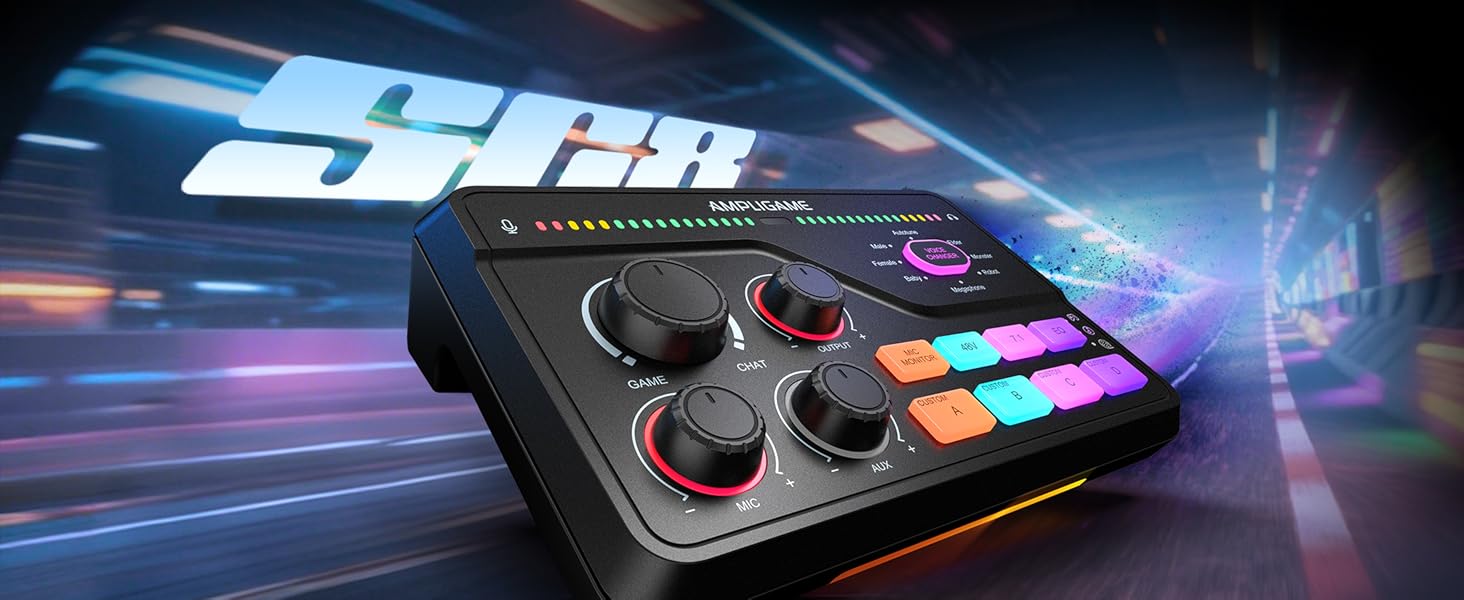
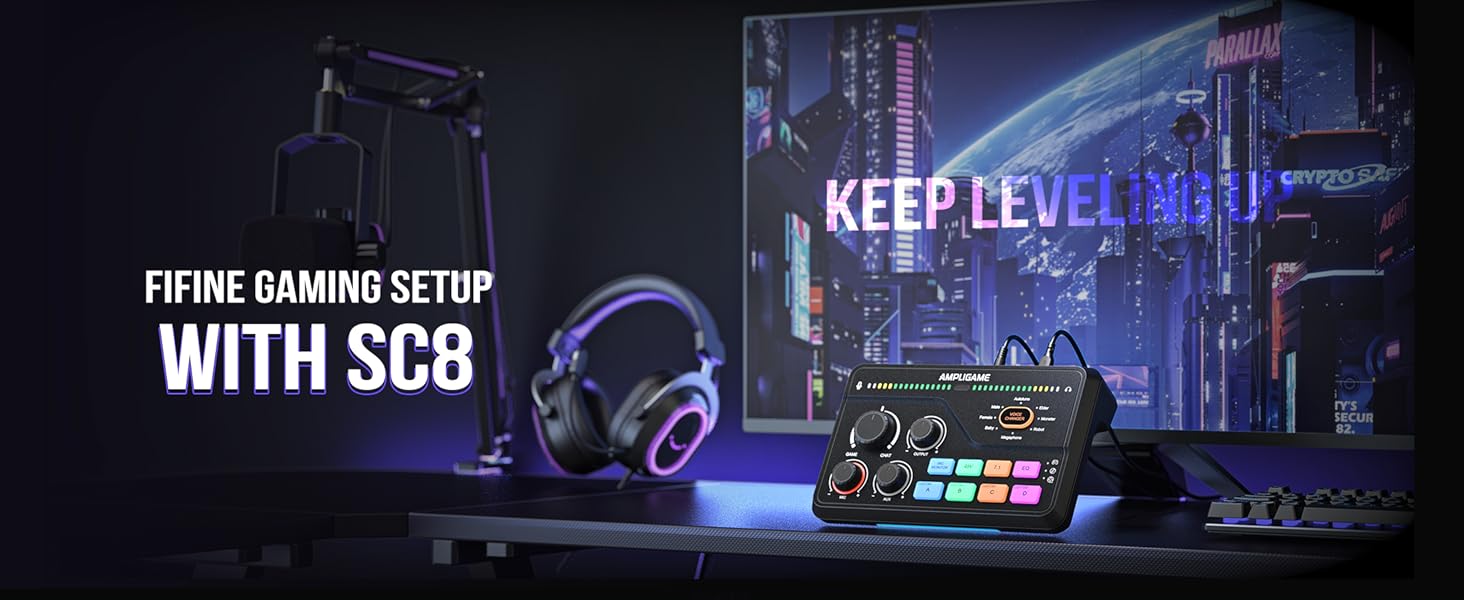
1 Audio Mixer For Gamer
2 Visualized Control
3 Wide Compatibility
4 Function For Fun
1 Dazzling Vibe
2 Audio Assist Attention
3 Regulate Accordingly
fifine SC8
fifine Audio Mixers
XLR&6.35 Input Jack
8 Modes
Voice Changer
6 Modes
7.1ch Surround Sound
RGB Lighting
48V Phantom Power
Game/Chat Balance
Volume Indicator
XLR&6.35 Input Jack
8 Modes
Voice Changer
/
7.1ch Surround Sound
RGB Lighting
48V Phantom Power
Game/Chat Balance
Volume Indicator
fifine SC3
fifine SC1
What can the SC8 do to help my audio set-up?
SC8 provide you 2 separatedi virtual audio channels on your PC, you can asign audio sources from different softwares to them(e.g., games/music player), then control the monitoring volume ratio by game/chat knob and level by output knob .
How do I record a custom sound?
There are 4 custom button on the mixer. Press and hold the button until the light flashes white to start recording. Keep holding, and then release to save. Each recording can be up to 15 seconds.
Is it possible to control the game/chat audio ratio on PS4/PS5?
You can control the game/chat audio ratio on the SC8 when it’s connected to a PS4 if your device has an optical output, you can follow the setup steps we provided in the product’s guide.As for the PS5,its system already has this feature.
When should I turn on the 48V phantom power for my microphone?
The mixer offers 48V phantom power for XLR condenser mic. Check the mic’s specs first before turning the 48V power on. Turn it off if not needed to avoid damage or noise. Phantom power does not enhance mic volume.
Will the SC8 be able to provide more than 2 sparate, unmixed audio to the PC?
The hardware itself can not provide and control, but with fifine genie, a software presented by fifine, you can control the audio of separate channels by its Master Mixer feature.
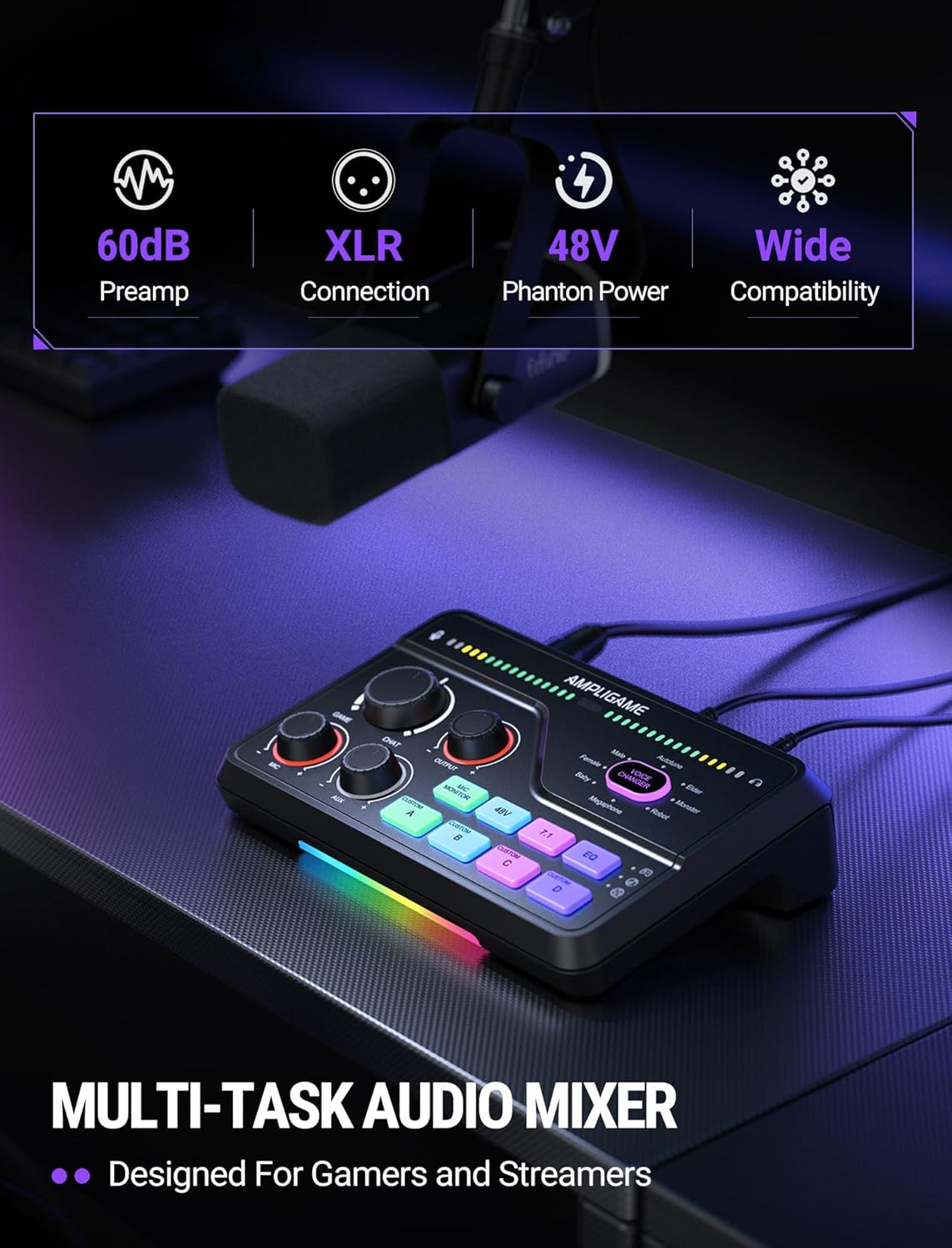
Upgrade Mic Clarity with XLR Power-Unlock studio-quality voice capture: The 48V phantom power XLR port supports high-sensitivity mics up to -50dB gain, while the Dynamic/Condenser toggle adapts to any microphone type. With <0.2% distortion and 75dB SNR, your comms cut through explosions crisply. Adjust mic monitoring via output knob on the gaming mixer keeping you aware of voice levels—perfect for intense FPS callouts.
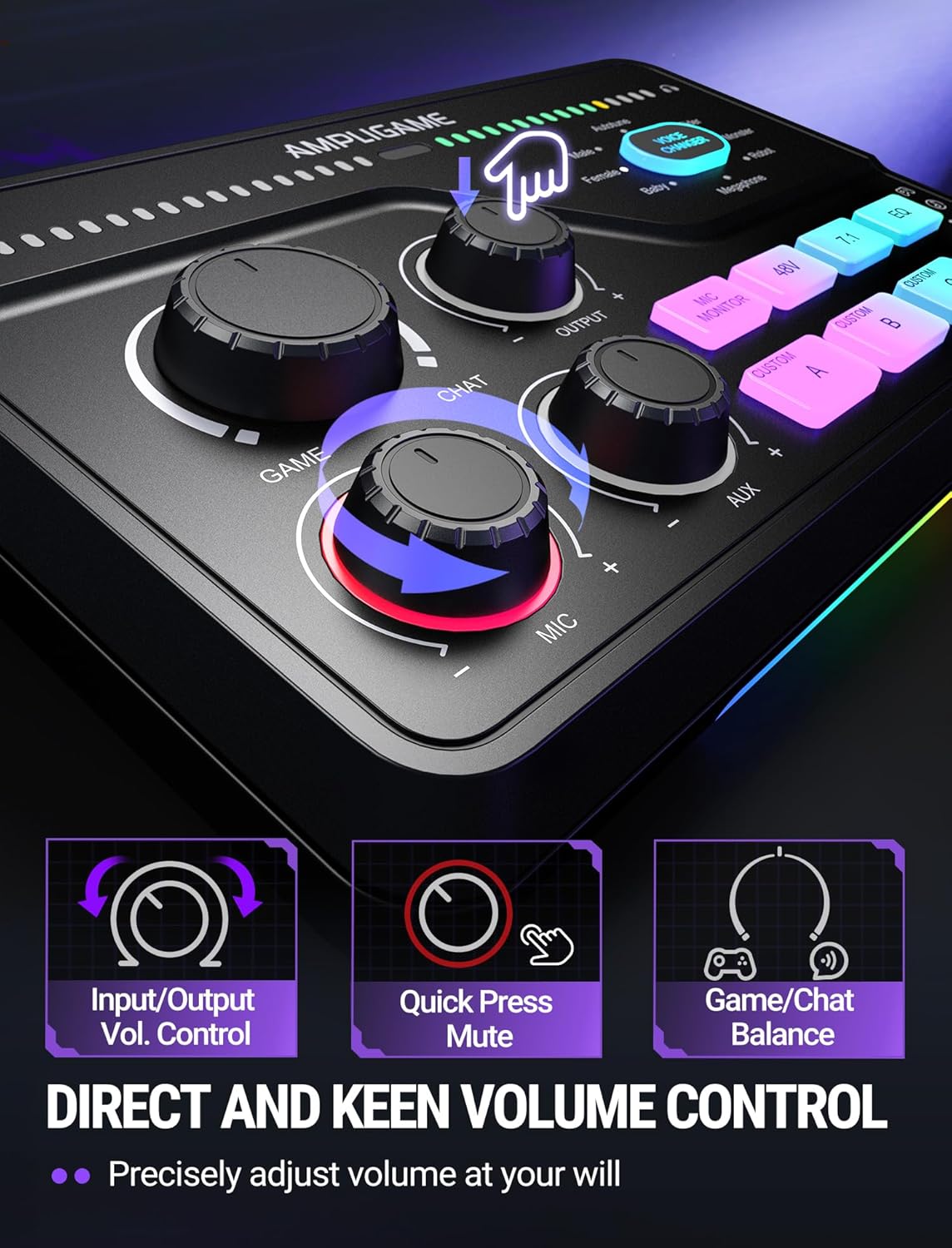
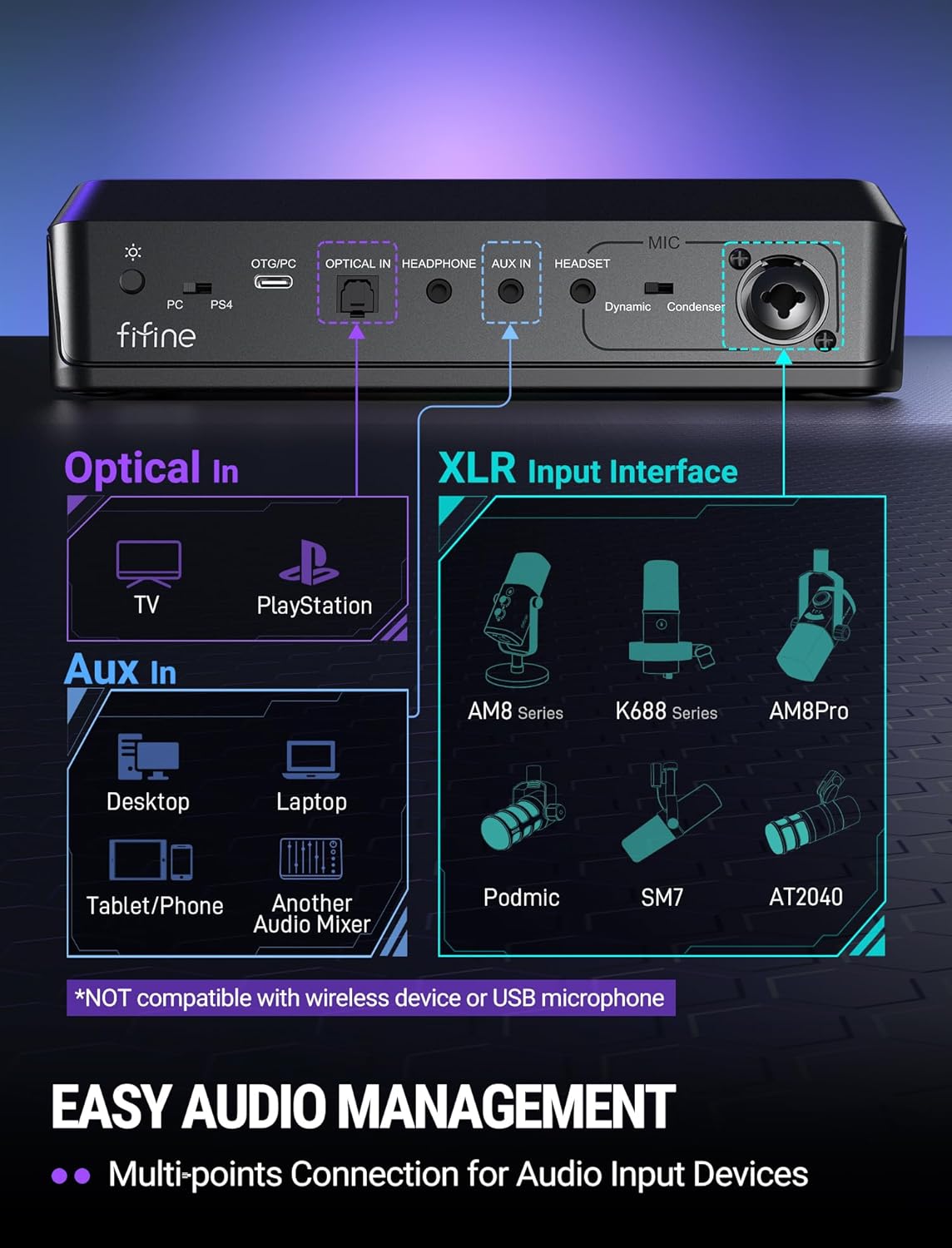
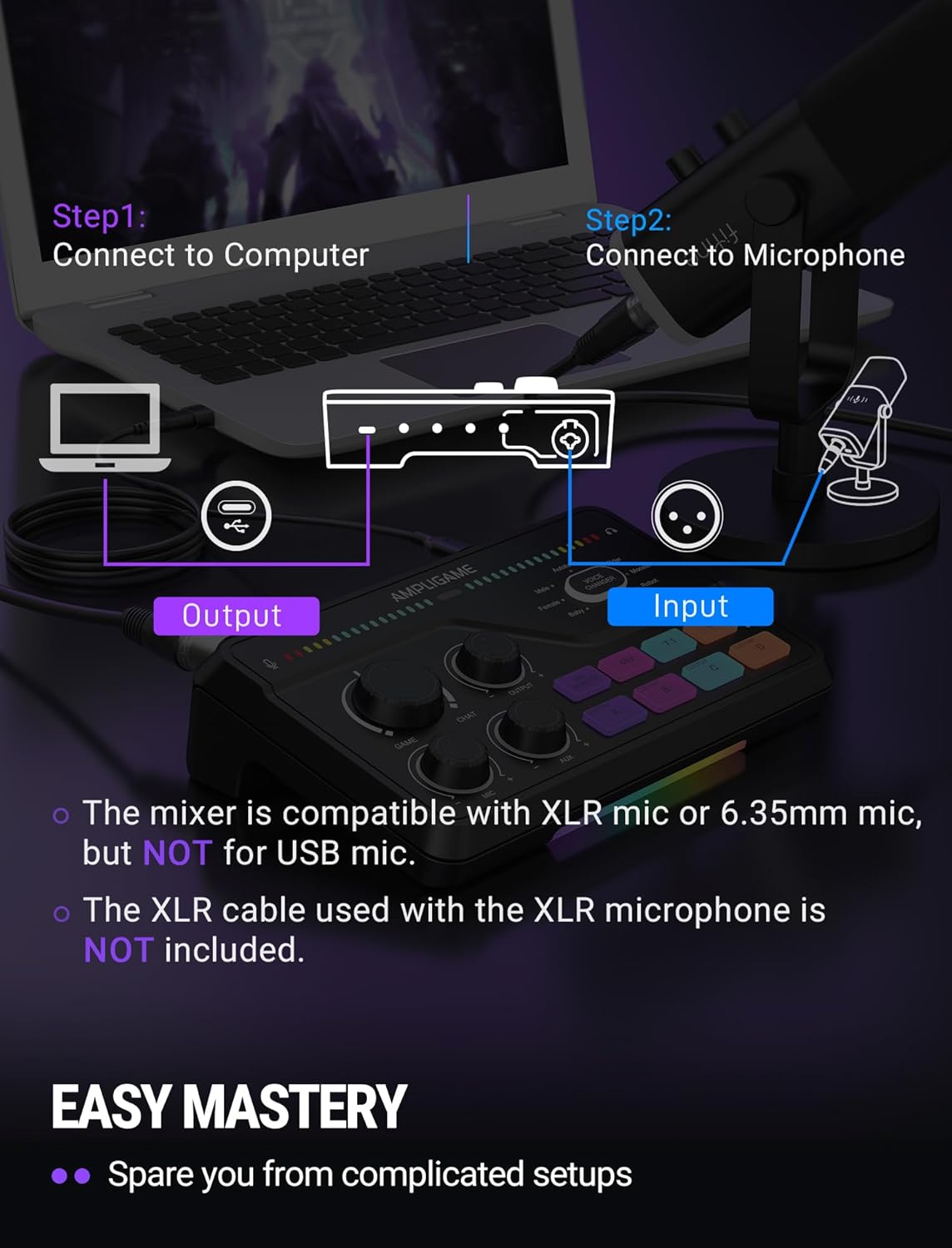
Seamless Multi-Platform Audio Control-Command all your gear: Optical AUX connects PS4/TV, 3.5mm AUX-In mixes commentary audio, and USB-C PnP works instantly across PC/PS5/Switch/mobile. The 3 smart knobs include push-mute volume controls—adjust mic, game, or background audio without tabbing out.
Game/Chat Balance Dial & 7.1 Immersion-Dominate squad coordination: Twist the dedicated Game/Chat knob to prioritize enemy footsteps or teammate comms. Coupled with virtual 7.1 surround and 3 EQ presets (Game/Music/Movie), hear Valorant spike defuses from any directions while Discord chats stay crystal-clear.
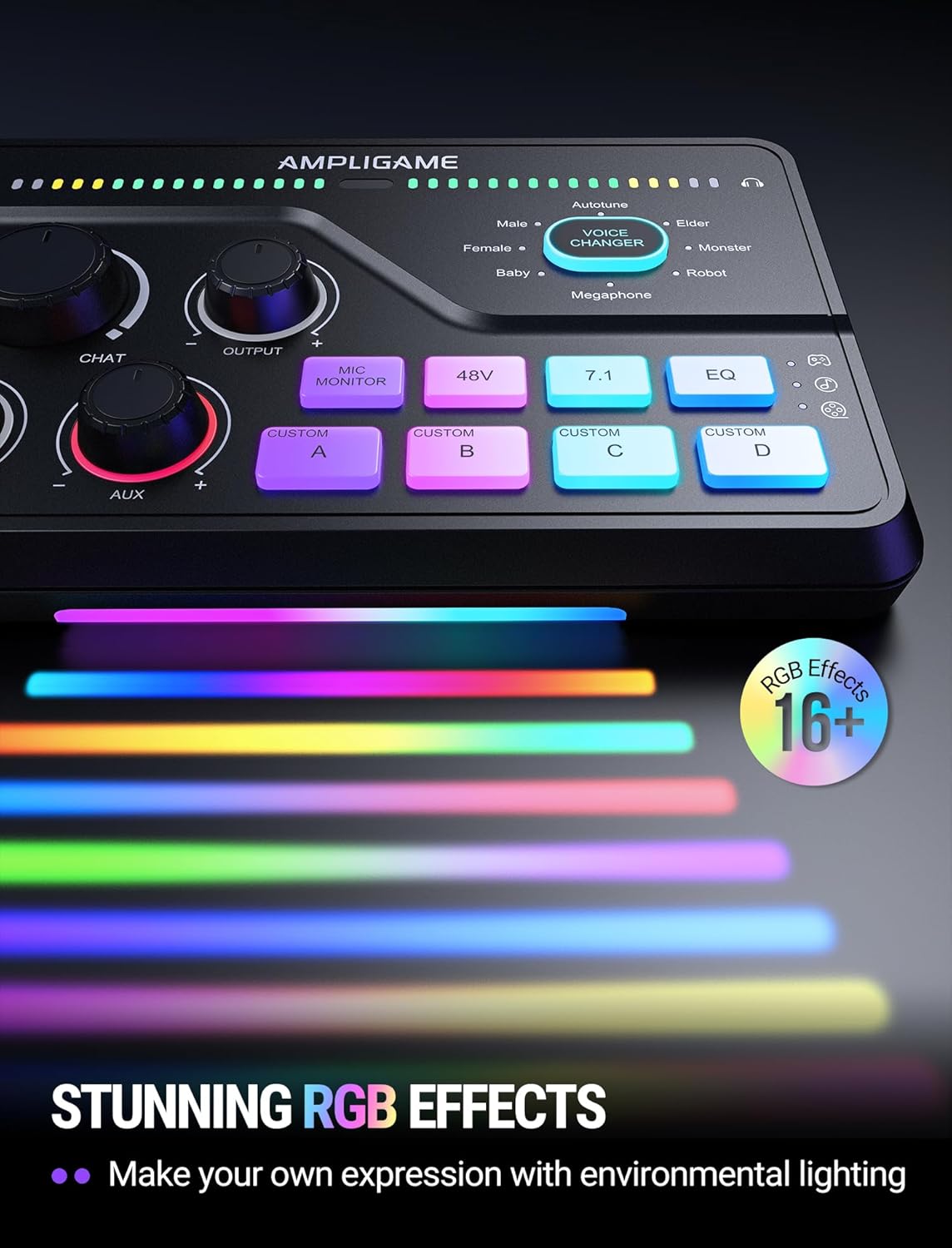
8-Voice Changer & Customizable Sound Profiles-Troll with tactical flair: One-tap voice morphing (Demon/Robot/Megaphone etc.) spices up Among Us lobbies. 4 customizable buttons save audio pieces—store your Warzone gunshot with EQ tweaked or chatting stream presets for instant reply.
RGB-Infused Streaming Ready Hub-Broadcast in style: Synchronized RGB lighting reacts to audio peaks for visual flair. Drive 32Ω headphones with 93dB SNR fidelity, while the aux chain lets you overlay music onto streams. Everything stays cool during 8-hour Fortnite marathons.
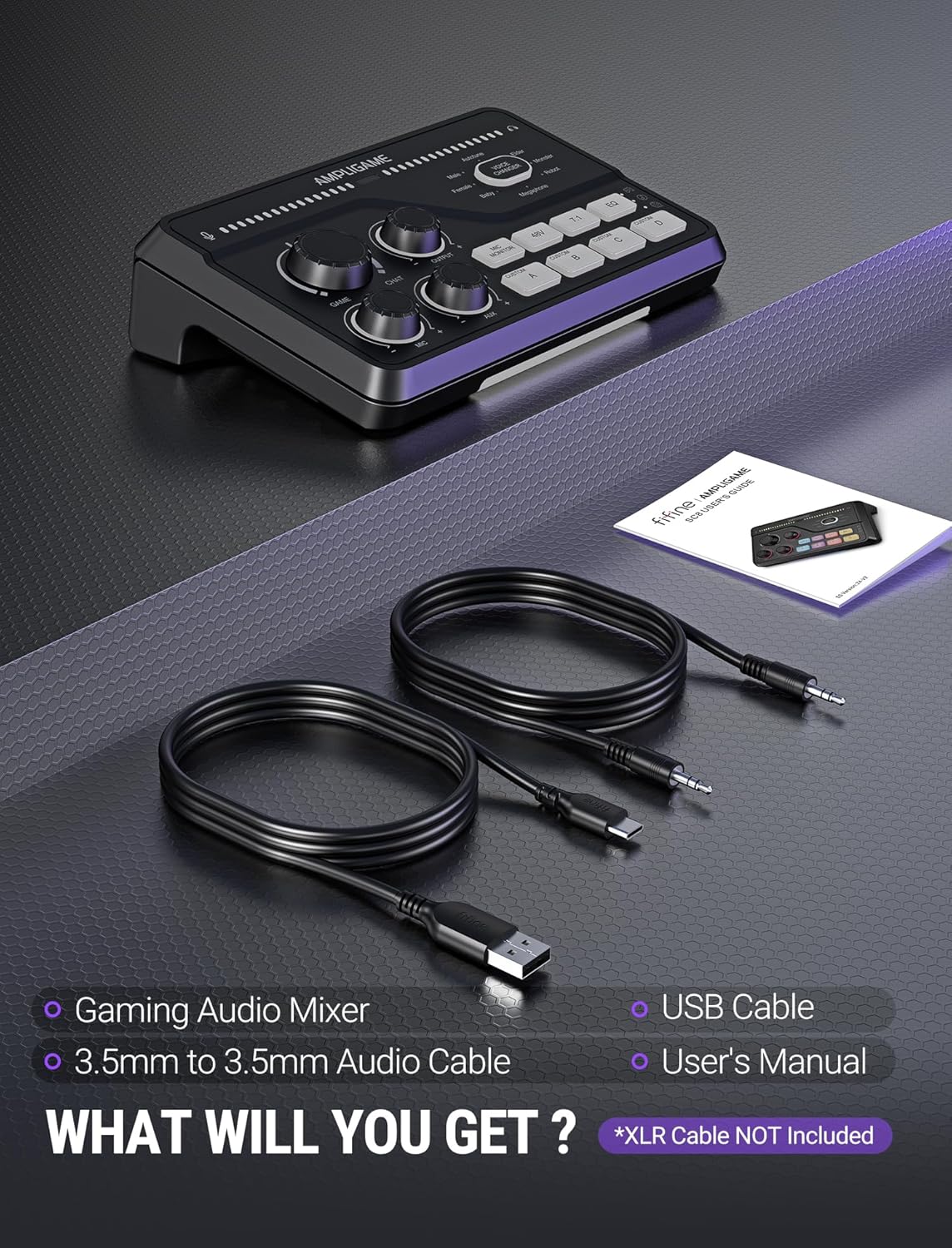
Tips:1) The mixer is NOT compatible with USB microphone, but only for XLR mic or 6.35mm mic. 2) XLR cable is NOT included. Audio quality may be influenced by XLR cable specifications like length, shielding or connector condition. It is recommended use a shielded one.
 Overview
 Languages
Discounted Games

Corsair Vengeance a5100 Gaming PC – Liquid Cooled AMD Ryzen™ 7 9800X3D, NVIDIA® GeForce RTX™ 5090 GPU, 64GB Dominator Titanium RGB DDR5 Memory, 2+2TB M.2 SSD – Black/Silver
Original price was: $ 6,500.$ 6,000Current price is: $ 6,000.


![INIU Link Cable, [16FT 5m] VR Cable USB 3.0 High Speed Type C Charger Cable Fast Charging While Playing,USB to USB C Cable for Meta Oculus Quest 3S 3 2 Pico 4 Accessories and Gaming PC Steam VR](https://gameshopco.com/wp-content/uploads/2025/12/INIU-Link-Cable-16FT-5m-VR-Cable-USB-30-High-640x800.jpg)
![NexiGo PS5 Headphone Holder, [Minimalist Design] Mini Headphone Hanger with Supporting Bar, for Sony PlayStation 5 Gaming Headset, White](https://gameshopco.com/wp-content/uploads/2025/12/NexiGo-PS5-Headphone-Holder-Minimalist-Design-Mini-Headphone-Hanger-with-748x800.jpg)


Reviews
Clear filtersThere are no reviews yet.