


![Amerzone – The Explorer’s Legacy [Download]](https://gameshopco.com/wp-content/uploads/2025/12/Amerzone-The-Explorers-Legacy-Download-430x148.jpg "Amerzone – The Explorer’s Legacy [Download]")


Price: $20.75 - $19.75
(as of Dec 11, 2025 06:10:36 UTC – Details)
Product description
Wired game controller for PC
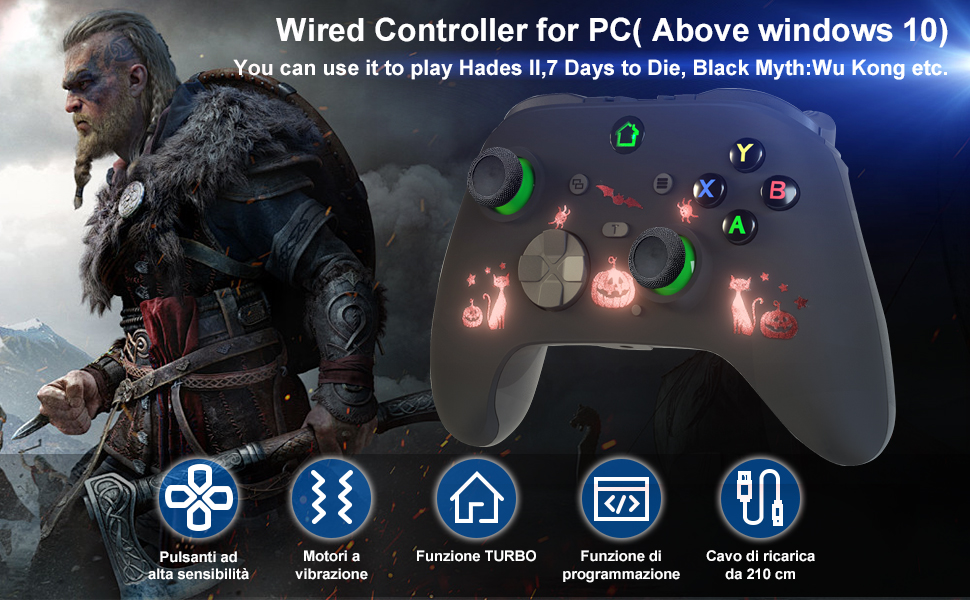
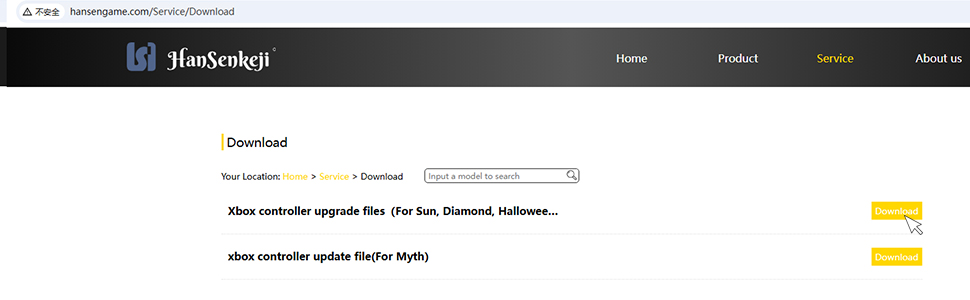
Wired game controller for X-one, need updated by yourself
Upgrade files download link search: hansengame.com/Service/Download
Upgrade installation package name: Xbox controller upgrade files (For Sun,…)
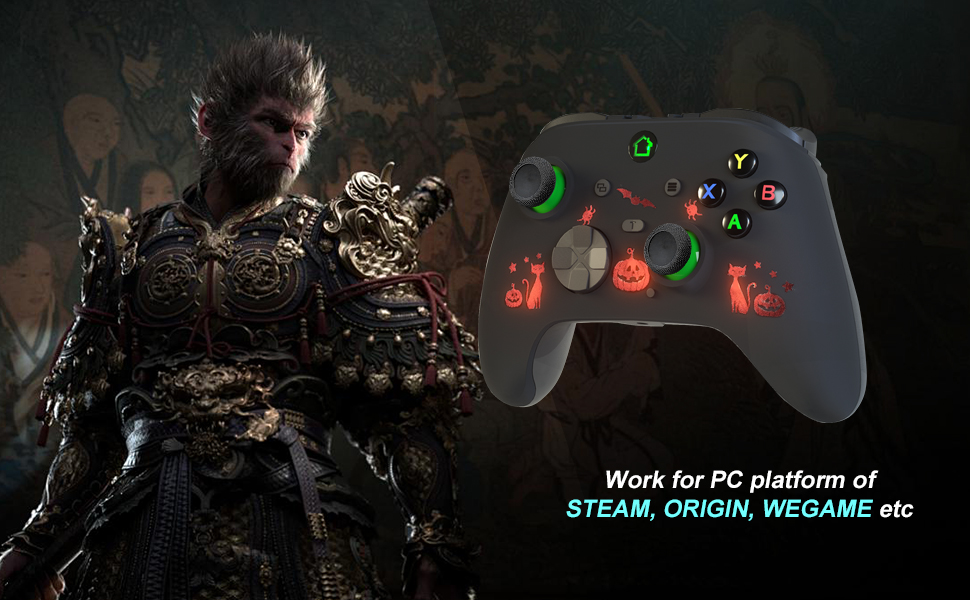
PC game controllers for steam platform
Wired PC controller with Turbo function
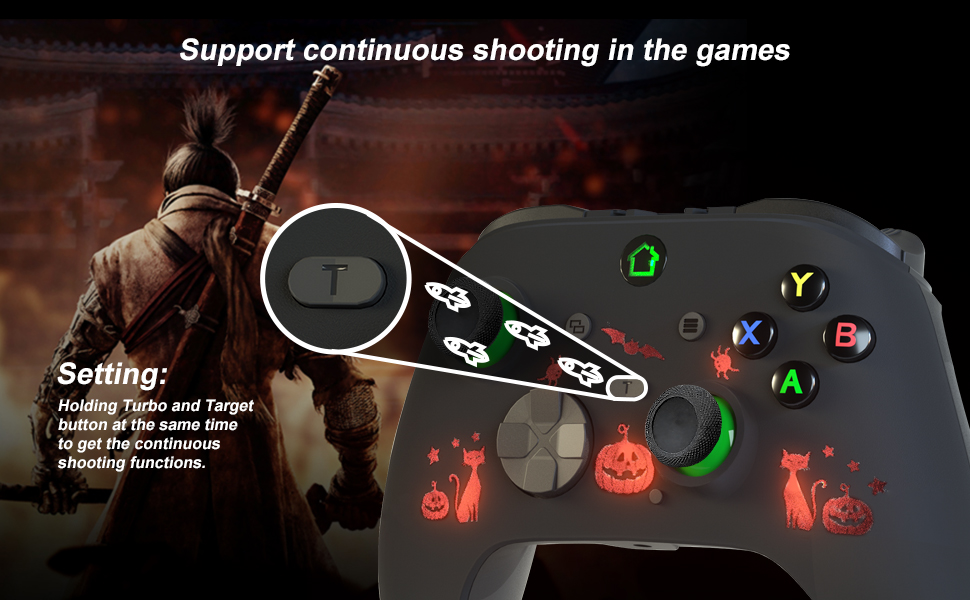
Set turbo function: Press and hold the turbo button and the function button you want to send continuously, you can realize the continuous function (eight times a second).
Cancel turbo function: Press and hold the turbo button and you set the turbo function button, you can cancel.
Buttons that can be set are (UP, DOWN, LEFT, RIGHT, A, B, X, Y, LB, RB, LT, RT, L3, R3)
PC game controller with Programmable buttons

Programming Function:
Support Buttons: ABXY, L\R\ZL\ZR\L3\R3
Program button: (NL/NR/SET)
Enter Program Mode
Press and hold the SET button for 3s. The LED will flash, signaling the controller is in the Program Mode.
Set a single action key, then press the NA(NL/NR) button that you wish to assign. LED will stop flashing, signaling it finished the programming.
*Such as pressing the “A” key, then pressing the NL button. The NL button is the same as the “A” key’s function.
If didn’t do any operation within 7s after into the program mode, it will exit the program mode.
Clear the Programming function
Press and hold the “set” button for 3 seconds and the LED will flash, and then press the NA(NL/NR) button.

【Wired Controller for Xbox 1】 This wired controller is compatible with x-box–one/s/x console. This controller is a third-party product, not original. If you meet incompatibility issue, you need updated by yourself on PC. The upgrade files download can be searched: hansengame.com/Service/Download
【Programmable buttons】To accommodate more games, this PC controller makes programmable design. You can adjust the buttons on the back under game requirements to enhance your gaming experience.
【Ergonomic Design】The ergonomic design of the controller and buttons largely reduces player fatigue caused by long hours of gaming, allowing players to play comfortably at the same time.
【TURBO Function】This PC gaming controller with customize Turbo button, which help you to free your fingers and finish shooting. It will let you do action games more easily.
【Vibration & 3.5mm jack】The PC game controller built-in Vibration motors, it will bring you more realistic gaming experience. 3.5mm stereo headset allow you more immersed and enjoy the games.
Customers say
Customers find the game controller to be good value for money. However, the functionality receives negative feedback, with multiple customers reporting that it doesn’t work with Xbox.
 Overview
 Languages
Discounted Games

Corsair Vengeance a5100 Gaming PC – Liquid Cooled AMD Ryzen™ 7 9800X3D, NVIDIA® GeForce RTX™ 5090 GPU, 64GB Dominator Titanium RGB DDR5 Memory, 2+2TB M.2 SSD – Black/Silver
Original price was: $ 6,500.$ 6,000Current price is: $ 6,000.



![Among Us (Crewmate Edition) - [PlayStation 5]](https://gameshopco.com/wp-content/uploads/2025/12/Among-Us-Crewmate-Edition-PlayStation-5-692x800.jpg)

![Flash Action Alphabet & Numbers 1-100 (Windows Download) [Download]](https://gameshopco.com/wp-content/uploads/2025/12/Flash-Action-Alphabet-Numbers-1-100-Windows-Download-Download-800x800.jpg)


Reviews
Clear filtersThere are no reviews yet.